Background
Your team can provision dashboard access at any plan-level.Steps
- Inviting team members to access SourceMedium
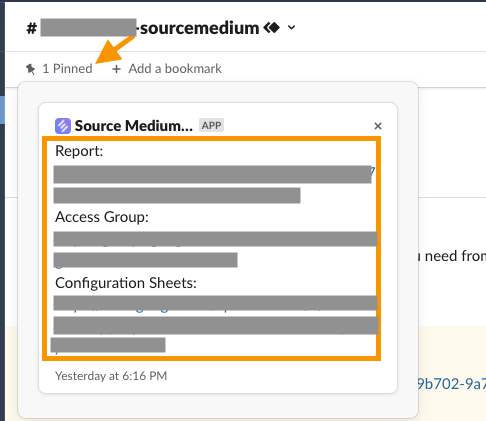
- Invite team members to access SourceMedium anytime using the Access Group link found in your shared slack channel > pinned threads section.
- If you have not setup a shared slack channel, please email [email protected] to receive instructions for your Access Group link
- Anyone added to this group will be able to view your SourceMedium dashboards, so we recommend monitoring who you add
- Anyone with Manager status in the group can provision access
- If you receive an error message when directly adding someone to the group, see here to help troubleshoot
- If you receive an error message when trying to access the group, make sure that you are logged into the correct email address that has been added to the Access Group