

Giving Access to A Dashboard or Google Sheet
Step 1: Access the Share Menu
-
Navigate to the Share Button on the top right side of your Dashboard or Google Sheet.


-
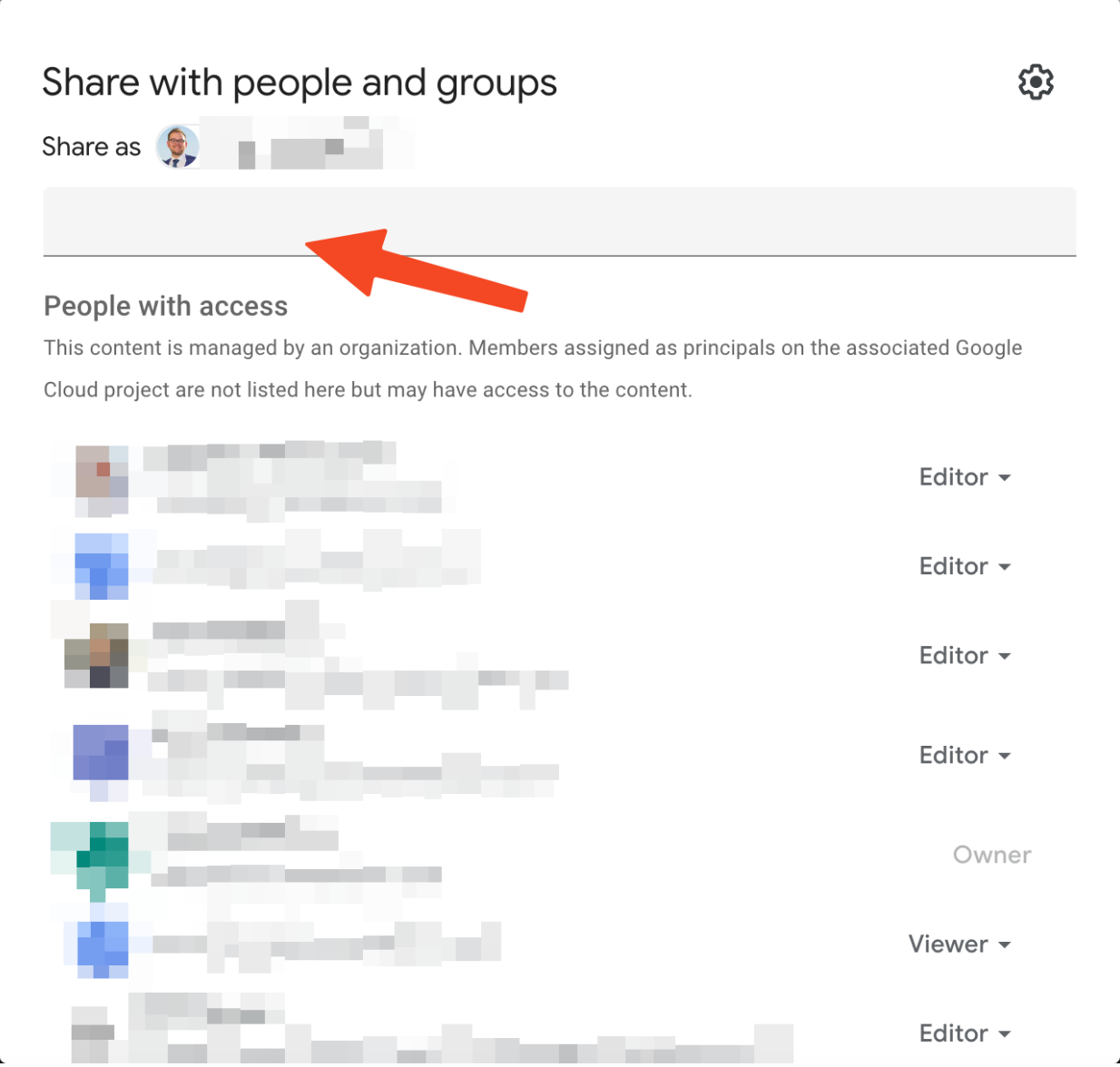
In the Share menu that appears, click the text box.
Step 2: Grant Your Group’s Level of Access
-
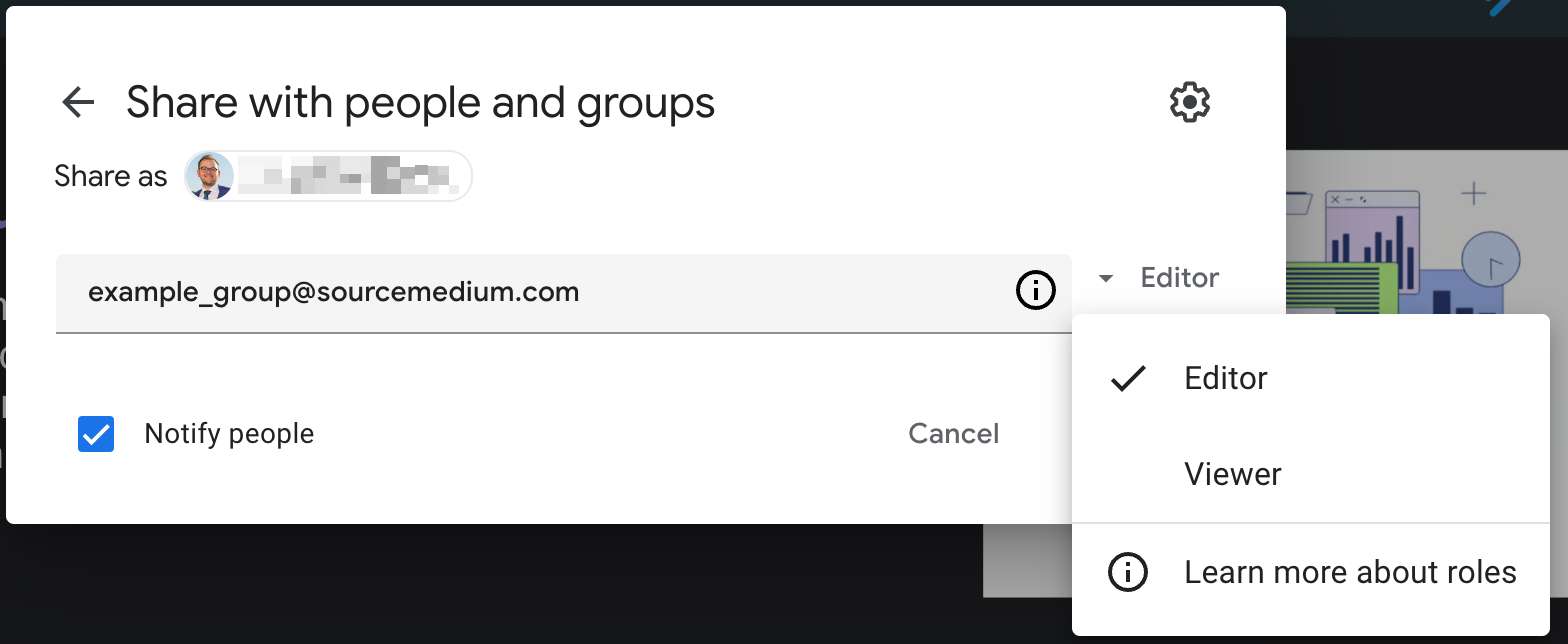
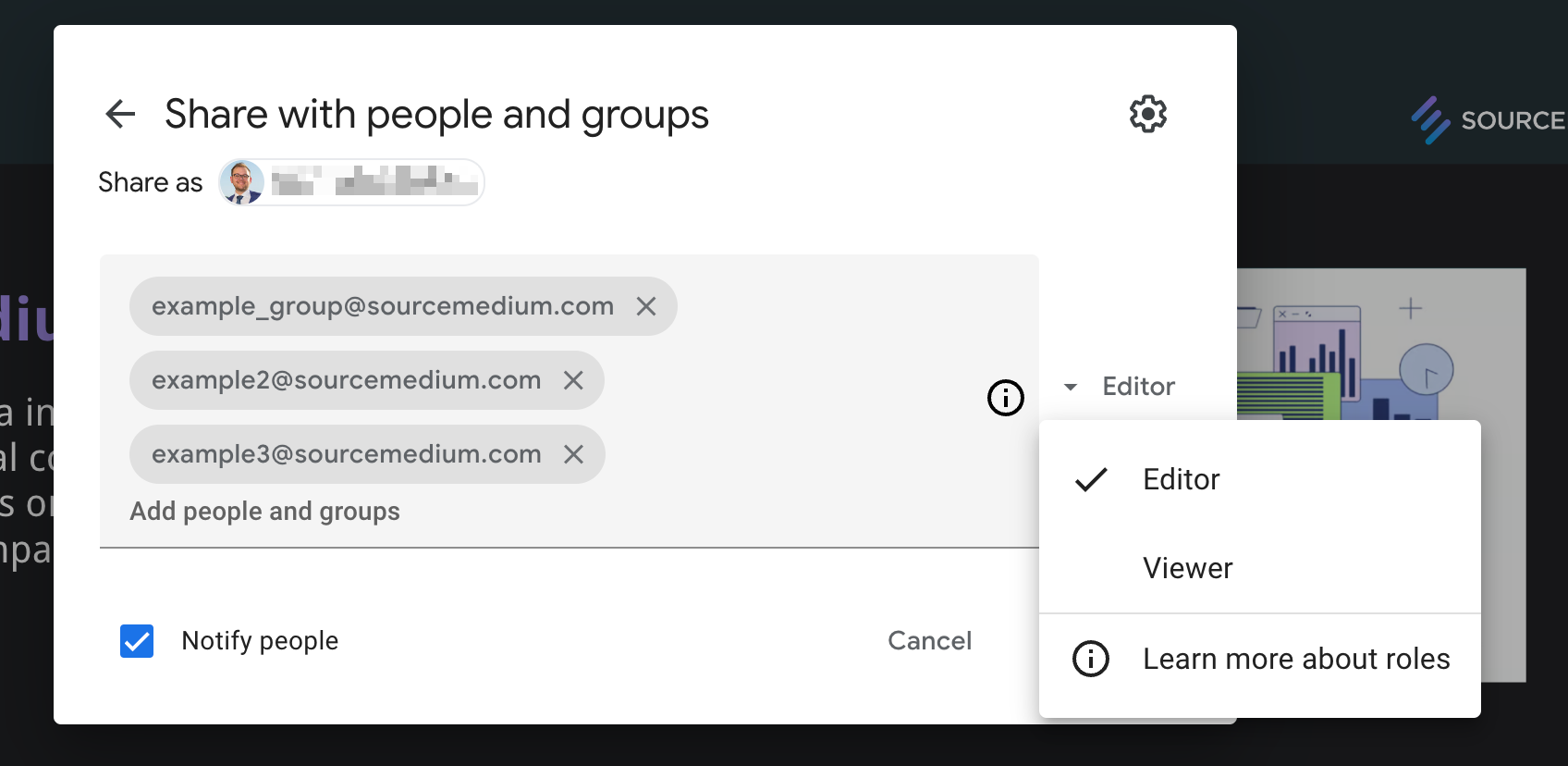
Enter your access group’s or an individual email address followed by a comma (or hit the enter key). This will allow for multiple groups or individuals to be given the same level of access at once.
-
Choose the level of access you want to be given to the entered email addresses (Viewer is the default level).
-
Choose if you want to notify the group members or individuals of their access by checking or unchecking the box in the bottom left of the Share window.
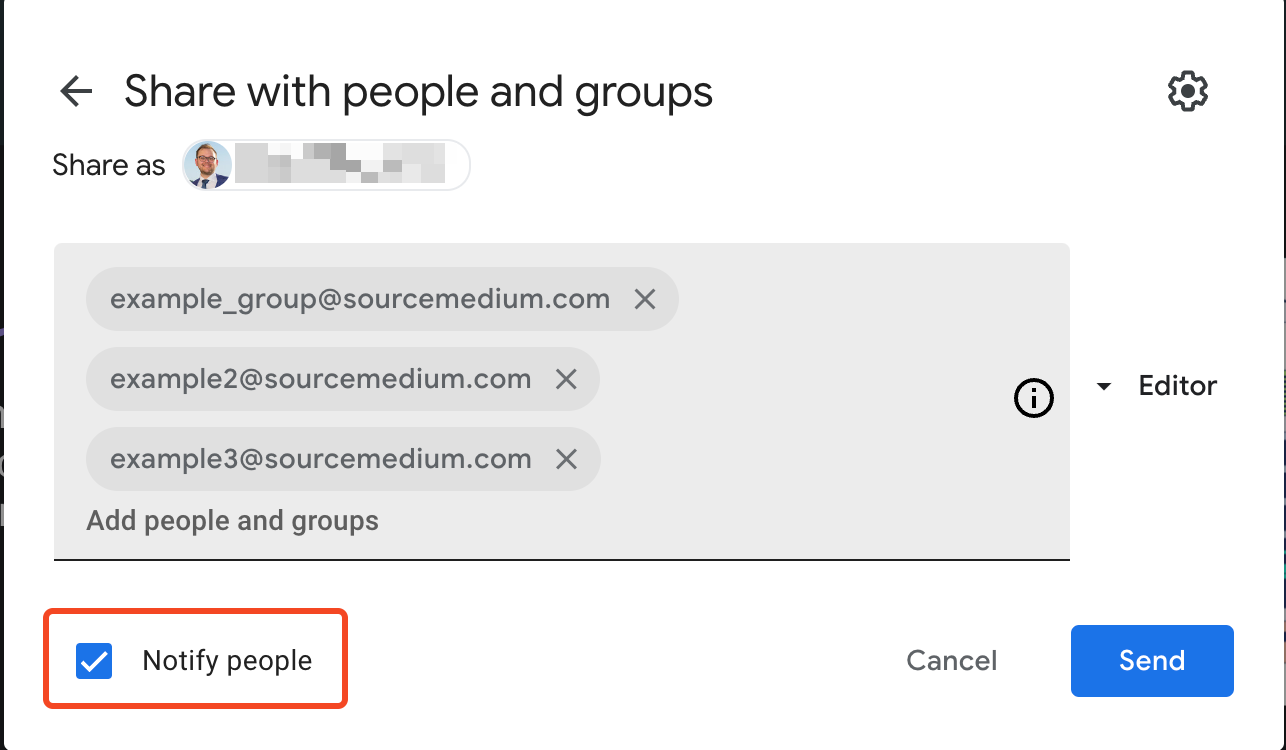
- Once you have made all selections, click Send in the bottom right of the Share window.